
If your Arlo Pan Tilt Security Camera does not return to its set positions, you may need to recalibrate the motor.
WARNING: Do not manually rotate your Pan Tilt Security camera, as it may damage the motor.
To calibrate your Arlo Pan Tilt Zoom Camera:
- Launch the Arlo Secure App.
- Tap Devices.
- Tap the Arlo Pan Tilt Security Camera device card.
- Tap the Settings icon

- Tap Start in Motor Calibration.
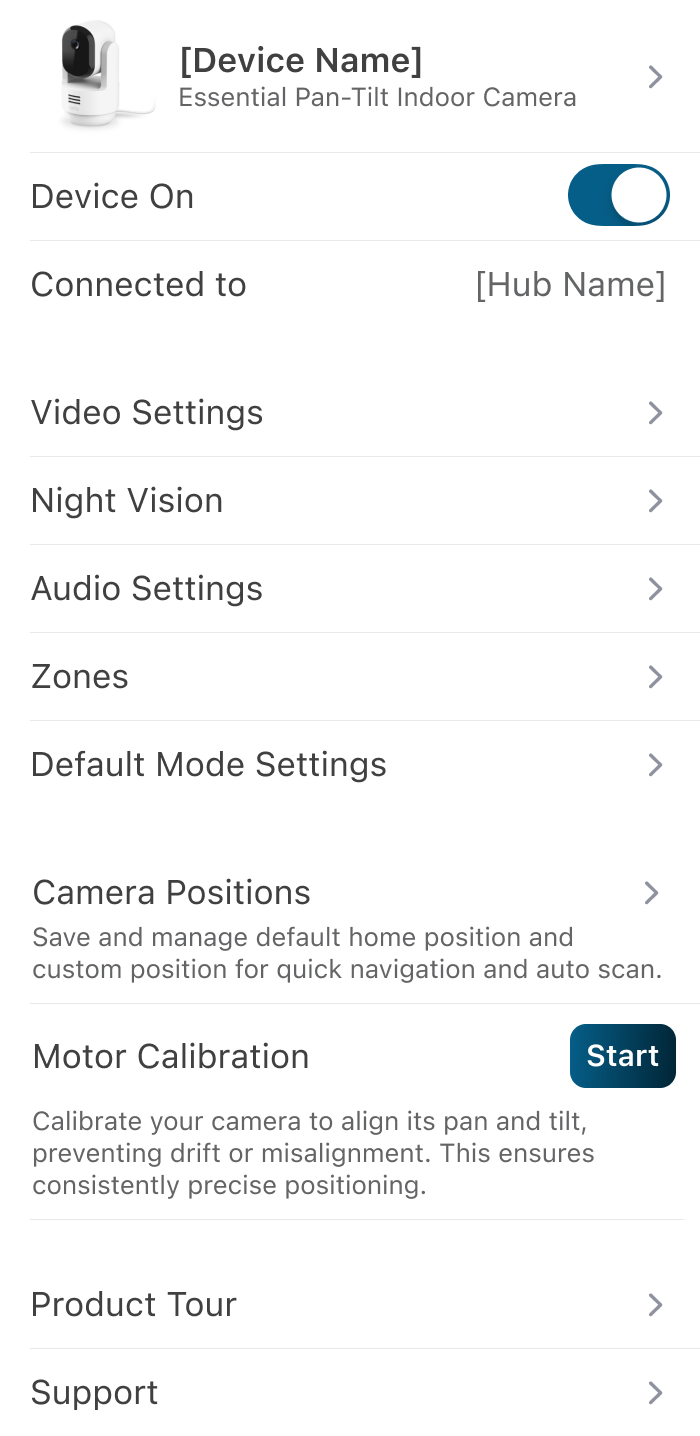
The calibration process may take up to 15 seconds. The camera will return to its Home Position once the calibration is finished.
For more information on how to set up Camera Positions, visit: Setting Camera Positions for Arlo Essential Pan Tilt Security Cameras