
This product tour shows images of the Arlo Pro Security Camera 2K (6th Gen) (VMC4070). The information is also applicable to the Arlo Pro XL Security Camera 2K (6th Gen) (VMC4072).
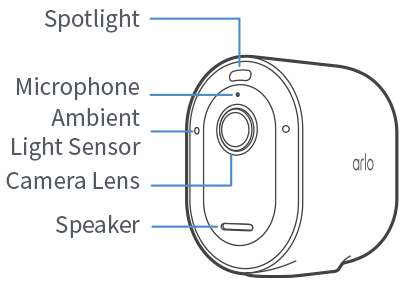
Spotlight: Activate the integrated spotlight manually, or set it to trigger when motion is detected.
Microphone and Speaker: Use the microphone and speaker to have a two-way conversation with a visitor.
Ambient Light Sensor: The ambient light sensor is used to determine when to trigger the integrated spotlight.
Camera Lens: View your videos in 2K resolution with a 160-degree field of view.
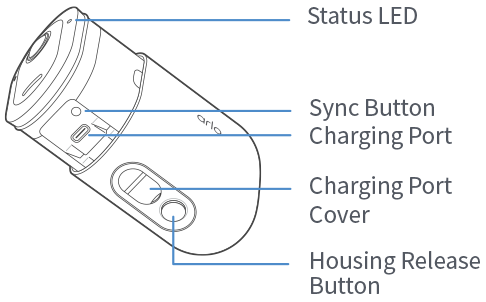
Status LED: Determine the status of your Arlo camera by referring to the LED indicator.
Sync Button: Use the sync button to install and factory reset your camera.
Charging Port: Use the charging port to charge the camera battery.
Housing Release Button: Use the housing release button to access the sync button and replace the camera battery.