
For best results, follow the in-app instructions for mounting your Arlo Essential Solar Security Camera after you have added the camera to your account in the Arlo Secure App. The instructions below provide an overview of the in-app mounting process.
Find a suitable mounting location:
- When choosing a mounting location, note that the camera includes three mounting holes.
- Use the center mounting point to face the camera straight or at a slight angle.
- Use the outer mounting points to angle the camera a full 90 degrees.
- Before mounting the camera, go outside to where you want to mount the camera and ensure the camera has a strong Wi-Fi signal.
- Choose a mounting spot with direct sunlight.
- A sunny spot is needed for the solar panel to recharge the camera battery.
- Follow the in-app guidance to check how much sunlight the camera's solar panel is getting before proceeding with the mounting process.
- Depending on settings, use, activity captured, and environment, the Arlo Essential Solar Camera operates on as little as 2 hours of direct sunlight per day.
The best places to mount your camera are:
- Sunny corners of your home
- Sun-facing exterior walls
- Fence posts in open sun
- Above rain gutters
To keep your camera charged, avoid shaded areas, such as:
- Under eaves, awnings, or roof overhangs
- Areas with tree shade or tree branches
- Small side yards between buildings
- Covered porches or patios
You need the following items to mount your camera:
- Power Drill
- Wall Mount with Base
- Mounting Screws
- Use a 1/16-inch (1.5mm) drill bit to drill holes for screws.
- Wall Anchors
- Use a 15/64-inch (6mm) masonry drill bit to drill holes for wall anchors if you are mounting the camera on stucco, brick, or concrete.
To mount the Arlo Essential Solar Security Camera:
- Unscrew the mount from the base.
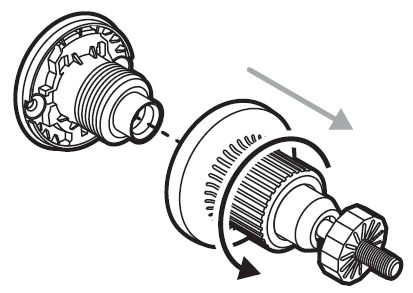
- Using the base as a guide, mark pilot hole locations with a pencil.
- Use the pencil marks as a guide to drill pilot holes with a 1/16-inch (1.5mm) drill bit.
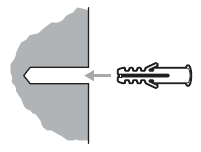
Note: If you are mounting the camera on stucco, brick, or concrete, drill the pilot holes with a 15/64-inch (6mm) masonry drill bit and insert the wall anchors into the pre-drilled holes.
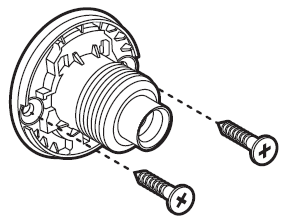
- Align the holes in the base to the pre-drilled holes in the wall and use the two provided screws to secure the base to the wall.
- Screw the mount onto the base and tighten the large knob.
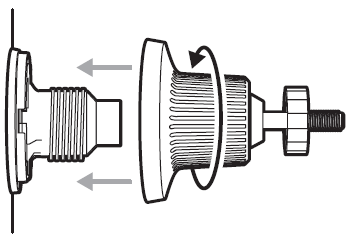
- Attach the camera to the mount with one of the three mounting holes based on your desired camera rotation.
Use the center mounting point to face the camera straight, or a slight angle.
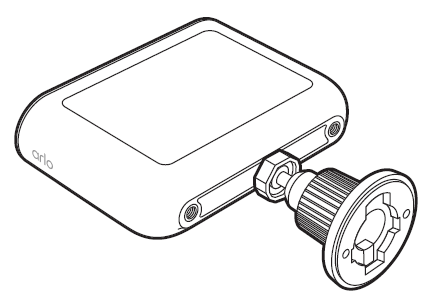
Use the outer mounting points for a 90˚ angle range of motion.
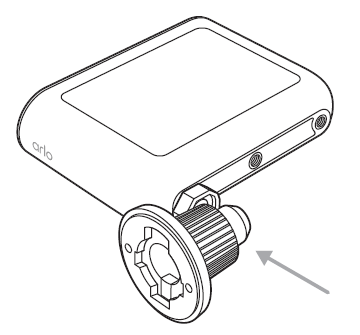
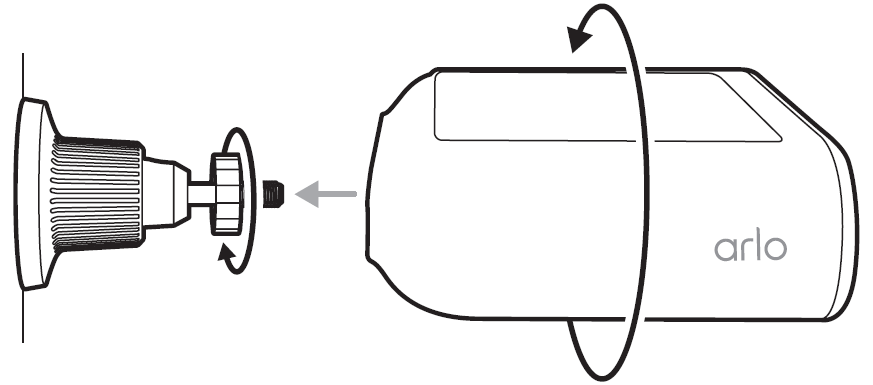
Twist the camera onto the mount and turn the small knob to lock the mount to the camera.
- Point the camera at the area you want to monitor.
The camera is most sensitive in the lower two-thirds of the image.
Aim the camera so expected motion happens below the dotted line in the app.
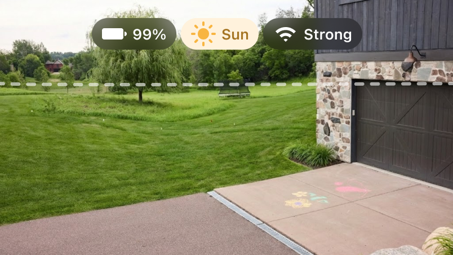
Motion across the frame is detected more reliably than motion toward the camera.
The camera should be mounted at least 7 ft (2 m) high and angled slightly downward.
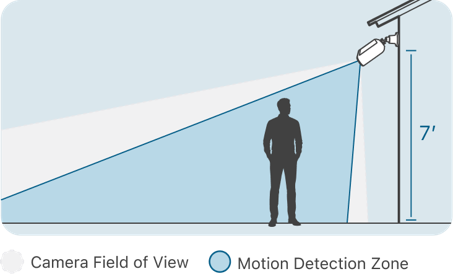
- Using the in-app guidance, walk around in front of the camera to test the motion sensitivity.
Watch the motion indicator in the app as you walk around to see when motion is detected.
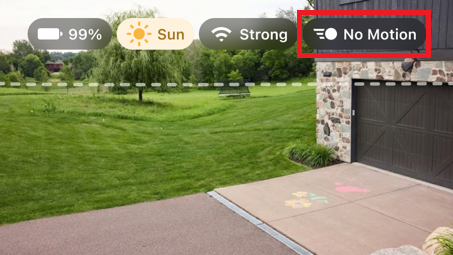
Adjust the camera angle and Motion Sensitivity slider until the camera properly detects motion.
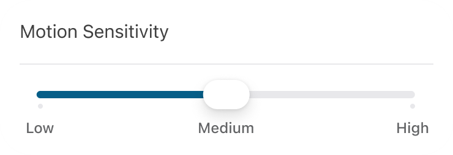
- After confirming the camera angle properly detects motion in the desired areas, make sure both knobs are fully tightened.
Note: If the mount is not properly tightened, the camera may loosen over time.
For more information, visit: Arlo Essential Solar Security Camera Positioning Tips